À proposConditionsConfidentialitéContact
 
Actualisation
My Eyes Only Password Manager

My Eyes Only Password Manager

Date de sortie : 2012-05-22
© Software Ops LLC
My Eyes Only Password Manager - QR Code
Version 9.7
4+
Télécharger dans l'App Store
Version 9.7
4+
Télécharger dans l'App Store
Date de sortie : 2012-05-22
© Software Ops LLC

Captures d’écran iPhone

Capture d'écran
Capture d'écran
Capture d'écran
Capture d'écran
Capture d'écran

Captures d’écran iPad

Capture d'écran
Capture d'écran
Capture d'écran
Capture d'écran
Capture d'écran

Description

Super secure password manager and vault app, with the easiest setup, secure backup and multi device syncing of any service in the App Store . . .
Have fast, convenient access to all your passwords and important personal data. My Eyes Only® provides a secure, easy way to store and keep the critical information you need close to you at all times. And it's super secure, so you never have to worry about loss or theft.
Web site passwords, credit card numbers, bank account information, and insurance and membership account information are just some of the personal data you need to keep with you all the time. Combine security and efficiency, get rid of the post-it notes and stop having to look through your files or that little black book every time you forget a password.
My Eyes Only® is a superior multi-function app that securely stores passwords and important personal information. Using powerful encryption, it secures your critical information and utilizes Software Ops' own secure cloud service to back up and sync to all your devices. My Eyes Only® allows you to keep your critical data close for instant access, while having peace of mind knowing that it's secure.
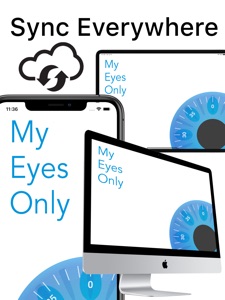
Sync To All Your Devices
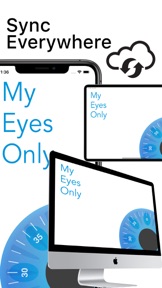
Add your data to one device and have it show up on your other iOS devices in just seconds. Sync all your devices for one price (other competitors charge per device). Plus you can share your data with a family member or loved one on their device. Works with your iPhone, iPad and iPod touch.
Don't Lose Your Valuable Information
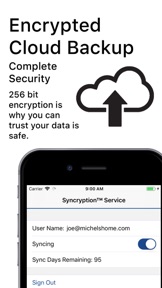
Our secure cloud backup makes it effortless to back up your important information no matter where you are. It's never convenient to have a device lost, stolen, or damaged, but we make retrieving your information easy. If you're on vacation, on a business trip, anywhere you go, your personal information is secure and retrievable by you.
Extra Security Means Extra Peace of Mind
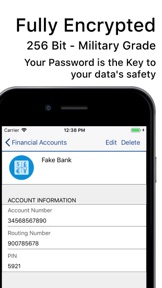
My Eyes Only® utilizes layers of protected encryption. This advanced encryption technology includes password protection, powerful 256 bit AES encryption, and an additional layer of keychain security that other apps don't have. This ensures that your important data will be safe if your phone is lost or stolen. All your data is triple encrypted while being synced and backed up and is stored on trusted Heroku secure servers. Even we can't see or access your data.
Try Before You Buy
My Eyes Only® is free to download and a try-before-you-buy app. This gives you the chance to try it before your decide to purchase. You can add 20 items to the app before you are asked to purchase a subscription. Pay once for all your devices.
Auto-Renewing Subscription
• Subscription automatically renews unless auto-renew is turned off at least 24-hours before the end of the current period
• Account will be charged for renewal within 24-hours prior to the end of the current period, and identify the cost of the renewal
• Any unused portion of a free trial period, if offered, will be forfeited when the user purchases a subscription to that publication, where applicable
• Your subscription will automatically renew each month or year, and your credit card will be charged through your iTunes account. You can turn off auto-renew at any time from your iTunes account settings.
Privacy Policy: http://www.myeyesonlyapp.com/software-ops-privacy-policy/
Terms of Use: http://www.myeyesonlyapp.com/software-ops-license-agreement/

Nouveautés de la version 9.7

We are introducing a new version of My Eyes Only after you sign in to MEO. A screen will appear with a link to our website that provides an overview of the app and the update process for the next version.
Please take the time to visit the link and learn about the big changes coming to MEO.

Informations

Catégories

Version

9.7

Taille

32,6 MB

Game Center

Non

VPP Device Licensing

Oui

Classement

Classification : 4+

Compatibilité

iOS 13.0 ou plus récent

Appareils

iPhone 5s, iPhone 6, iPhone 6 Plus, iPhone 6s, iPhone 6s Plus, iPhone SE, iPhone 7, iPhone 7 Plus, iPhone 8, iPhone 8 Plus, iPhone X, iPhone XR, iPhone XS, iPhone XS Max, iPhone 11, iPhone 11 Pro, iPhone 11 Pro Max, iPhone SE (2e génération), iPhone 12, iPhone 12 Pro, iPhone 12 Pro Max, iPhone 12 mini, iPhone 13, iPhone 13 Pro, iPhone 13 Pro Max, iPhone 13 mini, iPad (5e génération) Wi-Fi, iPad (5e génération) Wi-Fi + Cellular, iPad (6e génération) Wi-Fi, iPad (6e génération) Wi-Fi + Cellular, iPad Pro, iPad mini 4 (Cellular), iPad Pro (9,7 pouces), iPad Pro (9,7 pouces) (Cellular), iPad Pro 12,9 pouces (2e génération), iPad Pro 12,9 pouces (2e génération) Wi-Fi + Cellular, iPad Pro (10,5 pouces), iPad Pro (10,5 pouces) Wi-Fi + Cellular, iPad Pro (11 pouces), iPad Pro (11 pouces) Wi-Fi + Cellular, iPad Pro 12,9 pouces (3e génération), iPad Pro 12,9 pouces (3e génération) Wi-Fi + Cellular, iPad Air, iPad Air (Cellular), iPad Air 2, iPad Air 2 (Cellular), iPad Air (3e génération), iPad Air (3e génération) Wi-Fi + Cellular, iPad mini Retina, iPad mini Retina (Cellular), iPad mini 3, iPad mini 3 (Cellular), iPad mini 4, iPad mini 4 (Cellular), iPad mini (5e génération), iPad mini (5e génération) Wi-Fi + Cellular, iPad (7e génération) Wi-Fi + Cellular, iPad Pro 11 pouces (2e génération), iPad Pro 11 pouces (2e génération) Wi-Fi + Cellular, iPad Pro 12,9 pouces (4e génération), iPad Pro 12,9 pouces (4e génération) Wi-Fi + Cellular, iPad Air (4e génération) (Wi-Fi), iPad Air (4e génération) (Wi-Fi + Cellular), iPad (8e génération) Wi-Fi, iPad (8e génération) Wi-Fi + Cellular, iPad Pro 11 pouces (3e génération), iPad Pro 11 pouces (3e génération) Wi-Fi + Cellular, iPad Pro 12,9 pouces (5e génération), iPad Pro 12,9 pouces (5e génération) Wi-Fi + Cellular, iPad (9e génération), iPad (9e génération) Wi-Fi + Cellular, iPad mini (6e génération), iPad mini (6e génération) Wi-Fi + Cellular, iPod touch (6e génération), iPod touch (7e génération)
Langues

français, anglais

App Store : Notes

Notes et avis

4,5 sur 5 (18 notes)

App Store : Avis des utilisateurs

2016-08-08

Ok

Na wat problemen werkt het prima
Simmy00
Version 9.0.2
2015-04-07

Top password manager

Excellent password manager app to share passwords amongst family members. Safe, user-friendly and easy to use. Good support. Questions I had were answered swiftly and in a competent manner. One feature, I am missing is the possibility to export or make a print out of my passwords. Hope this will be added soon.
Saml-Fanou
Version 7.3.2
2013-11-03

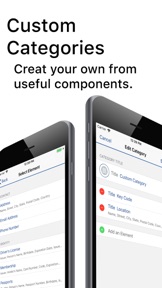
Top, mais pouvoir créer ou renommer ses propres,rubriques... Ce serait génial

Voila qui est disponible maintenant....VRAIMENT ! 10/10
MIP1958
Version 7.0.3
2013-06-24

like my eyes only

good app for secrets
foksie
Version 1.2.1
2012-12-15

Perfect

Dit is echt een app die zijn geld waard is. Veilig, handig, en al je codes onder een vingertap!
Hoegaerden
Version 1.1.1
2012-08-18

Super goede app

Dit is de beste app die ik heb
Peter Serrras
Version 1.0.6